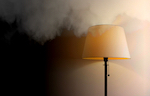
 With the Link you can switch on your lighting when smoke is detected. By turning on lights it is extra easy to leave the home, even if there is already a lot of smoke in the home or when it is night.
Colour bulbs will turn on red so that it is clear to you and to any emergency services which house is involved. Other LED bulb lighting turns on in bright white.
Set lighting on when smoke
You can set this function as follows:
- Open the
 'HomeWizard link' app
- Go to the
 'My Home' tab at the bottom right of the screen.
 - Navigate to
 'Home Settings' by tapping the gear icon.
 - Go to
 'Security'
 - Scroll down to the safety section and turn on 'all lights in case of smoke' .
If you want to know exactly what it looks like when smoke is detected, you can test one of your smoke detectors. The explanation for this can be found in this article.
Was this article helpful?
That’s Great!
Thank you for your feedback
Sorry! We couldn't be helpful
Thank you for your feedback
Feedback sent
We appreciate your effort and will try to fix the article