The smoke detectors of the same type can be coupled to each other. All smoke detectors to be linked together, must be put in 'Leer modus' by turning the switch on the back in 'Leer Modus'.
Normale Modus | Leer Modus |
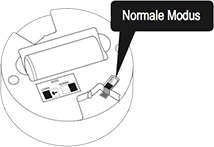 | 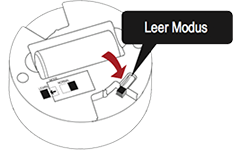 |
 | The red LED will light up to indicate that 'Leer modus' is selected. Note that detectors that are in 'Leer modus', can not be placed in the bracket. Let the battery during the 'Leer modus' are always in order not to interrupt the learning process. |
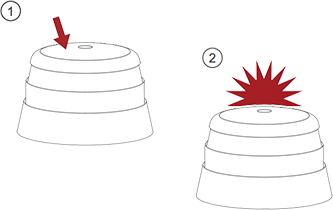 | Press the button on top of one of the smoke detectors. This detector is the 'master' and begins sending special codes to the other smoke detectors. The red LED (s) will illuminate. |
 | When the other smoke detectors receive their code, their LEDs will light up red. If the LEDs on all smoke detectors flash red, the detectors are coupled together. Turn the switch on the back again in 'Normale modus' to continue with the installation. |
Optional: To link the smoke detectors in the home Wizard Link, also links all detectors individually according to the instructions in the Home Safe app.
Was this article helpful?
That’s Great!
Thank you for your feedback
Sorry! We couldn't be helpful
Thank you for your feedback
Feedback sent
We appreciate your effort and will try to fix the article